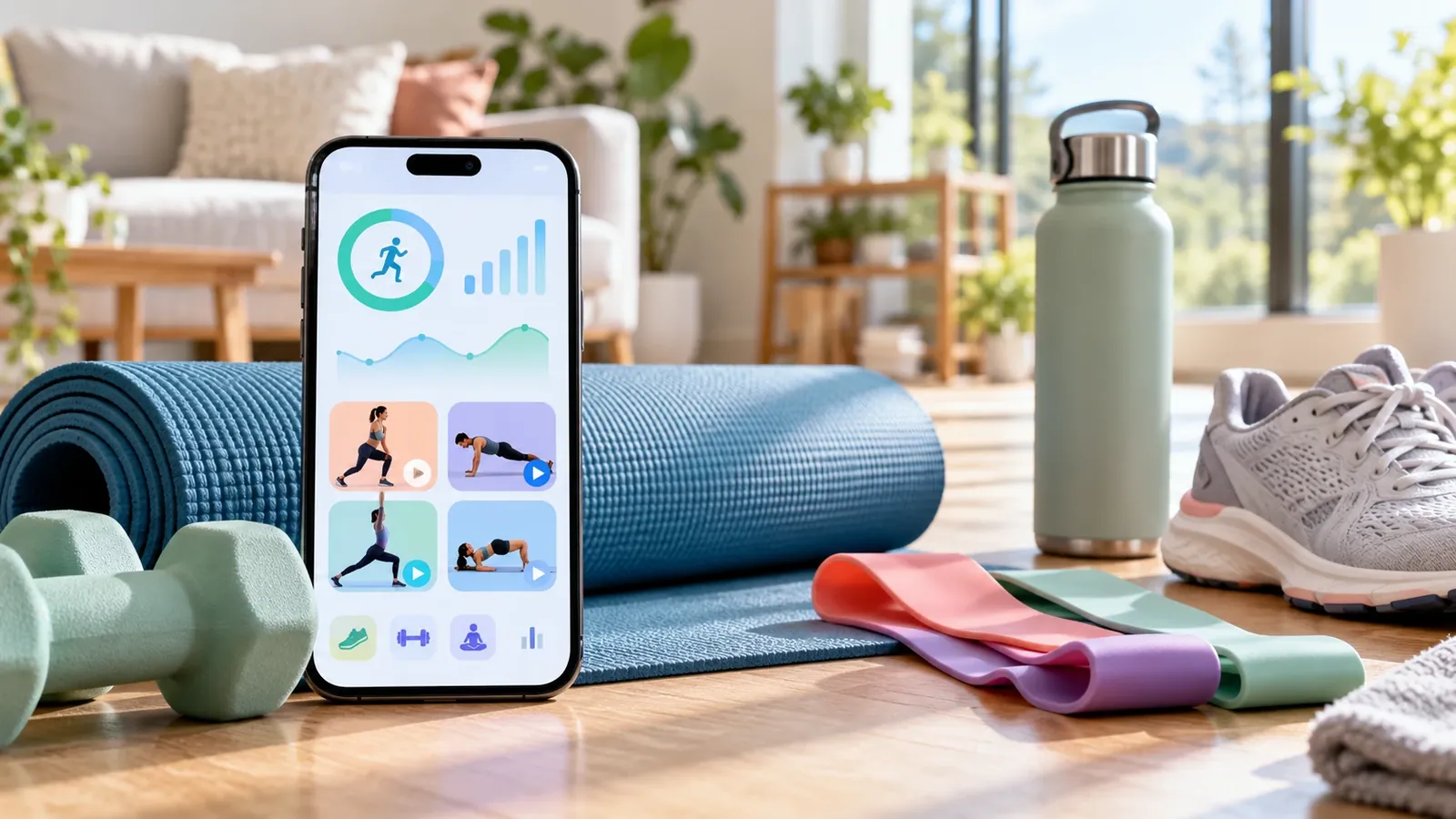
A fitness app can cost nothing to download and still charge for the workouts, training plans or progress features that make it useful. The more important question is whether its free version supports a regular exercise routine after any introductory offer ends.
These seven free fitness apps cover guided workouts, running and strength training without requiring everyone to buy a subscription. Their free offerings are not equivalent, so this comparison focuses on what remains accessible, the limitations to check and the person each app is best positioned to serve.
Key Takeaways
- Nike Training Club provides free instructor-led workouts and programmes for people who want to follow along rather than create routines.
- Nike Run Club offers free guided runs and running-related tools, making it a focused option for runners.
- FitOn keeps its workout videos free but reserves certain programmes, offline access and extras for PRO.
- Boostcamp provides extensive free strength programmes, workout tracking and routine building; advanced analytics and selected programmes require Pro.
- Hevy is a useful free gym log, but free accounts have limits on saved routines, custom exercises and accessible history.
- Strava offers free activity recording and social features, while several training, route and progress tools require a subscription.
- adidas Running supports outdoor activity tracking; availability of advanced coaching and related features may vary by plan and region.
How These Free Fitness Apps Were Compared
We checked publicly available app and support documentation for the difference between an ongoing free service and paid extras. The selection covers several exercise types rather than ranking applications on download counts, popularity or an unverified claim of superior training results.
This is a feature-and-access comparison, not a hands-on performance test. We did not independently measure GPS accuracy, coaching effectiveness, accessibility or app reliability on specific phones, and we have not awarded numerical scores that would imply such testing.
| App | Main use | What is available free | Limitation to consider |
|---|---|---|---|
| Nike Training Club | Guided workouts | Workout videos and programmes | Availability can vary by market and device |
| Nike Run Club | Running | Guided runs and running tools | Not a general strength-programme builder |
| FitOn | Video classes | Workout library | PRO extras include offline downloads and selected programmes |
| Boostcamp | Strength plans | Programme library, routine builder and workout log | Advanced analytics and some coach programmes are paid |
| Hevy | Strength tracking | Logs and up to four routines | Seven custom exercises and three months of stats history on free plan |
| Strava | Outdoor activity | Recording and community participation | Several route, goal and analysis features are paid |
| adidas Running | Running and walking | Activity tracking and selected community features | Check current plan for coaching and training features |
These are service summaries rather than guarantees of permanent pricing. App providers may change features, regional availability and trial conditions, so confirm the plan screen before entering payment details.
1. Nike Training Club: Best for Free Guided Workouts
Nike Training Club is well suited to people who want someone to lead a workout rather than enter sets and repetitions into a tracker. Nike provides a library of free sessions spanning strength, yoga, bodyweight training and other formats, alongside multiweek programmes and wellness guidance.
The main advantage is that the workout itself is the product, not a short preview of a paid class library. Users can look for sessions that fit their available time, equipment and general fitness level, which makes the app suitable for exercising at home or supplementing a gym routine.
What to Expect From the Free Experience
Nike describes its workout library and programmes as free, with instruction delivered through videos and other guided formats. That differs from a tracking app whose primary function is recording what the user already plans to do.
The trade-off is specialisation. Someone seeking detailed barbell progression, custom workout analytics or a highly specialised competition programme may prefer a dedicated lifting log, even if they still use Nike for mobility or conditioning sessions.
Best fit: Beginners and general exercisers who prefer guided, no-cost sessions.
2. Nike Run Club: Best for Guided Running
Nike Run Club focuses on running rather than the full range of gym activities. Nike identifies it as a free app with coaching, tracking and community tools, so users can build a running routine without paying for a general fitness membership.
Guided audio runs may be especially useful for someone who wants structure but is not working with a coach. The app's running focus is an advantage for this audience and a limitation for people who primarily want to track gym-based resistance exercises.
Where It Fits Within a Wider Routine
Running and strength training serve different purposes, and many people include both in their weekly activity. A runner could pair Nike Run Club with a separate free lifting log rather than expect one application to organise every training activity. Our fitness statistics by activity and age show how many adults combine different kinds of exercise.
This makes it a sensible choice when tracking routes, runs and consistency is the main objective. Users who need advanced cross-sport analysis should compare its actual features with those of Strava or other activity platforms.
Best fit: Recreational runners who want guided runs and free activity tracking.
3. FitOn: Best for Free Video Classes With Optional Extras
FitOn provides a range of instructor-led fitness videos and states that its workouts remain free. The company sells FitOn PRO as an optional package of additional functions, so it is important to distinguish access to the workouts from access to premium conveniences.
FitOn may suit people who prefer the experience of joining a class from home. It also offers several workout styles, reducing the need to use a different app whenever someone changes from strength training to stretching or a shorter session.
What FitOn PRO Adds
FitOn's February 2026 documentation describes PRO features including offline downloads, premium music, certain structured programmes, personalised meal plans, exclusive recipes and selected wearable integrations. Some TV-casting functionality is also described as a PRO benefit, which may be relevant to users who want to exercise using a large screen.
The key distinction is that paid extras do not necessarily make the free workout library unusable. A person happy to stream classes online can assess the free offering before deciding whether downloads or additional programme features are worth paying for.
Best fit: People who want a varied home-workout video library without buying a class subscription.
4. Boostcamp: Best for Free Strength Training Programmes
Boostcamp is designed around structured strength programmes and workout tracking. Its October 2026 programme information advertises a large free library that includes user-created programmes and many coach-designed options, along with logging features for sets, repetitions, weights and progress.
It is a stronger fit for someone following a repeatable training programme than for a person wanting to watch a guided yoga session. Its value lies in connecting a workout schedule with a record of what was completed and how performance changes over time.
What Is Free and What Requires Pro
Boostcamp states that the main programme library, workout tracker, basic personal-record information, rest timers and manual custom-programme creation are available without payment. Its Pro offering adds deeper analytics, selected exclusive coach programmes and additional personalised tools.
Boostcamp's October 2026 programme page lists more than 14,000 programmes, including over 130 by coaches, but a library total should not be central to choosing the app. More important is whether an appropriate programme is free and whether the tracking functions needed for that programme stay available over time.
Best fit: Gym users who want a structured lifting programme and a capable free log.
5. Hevy: Best for Recording Gym Workouts
Hevy focuses on logging strength-training sessions, saving routines and following progress. Its free plan supports core tracking functions, but the provider publishes explicit limits that users should check before transferring an extensive workout history into the app.
Hevy's organised logging format is useful for lifters who already know their exercises and want a repeatable record. It is less suitable for someone expecting the free version to provide unlimited programme-building options or comprehensive historical analytics.
The Free-Plan Limits Are Specific
Hevy's 2026 help documentation states that free accounts can create up to four routines and seven custom exercises. The free tier also provides access to a shorter window of workout statistics, while Pro expands routine creation and longer-term reporting.
Those restrictions may be entirely manageable for someone following a simple three- or four-day training split. A user who constantly creates new programmes or needs years of comparative analysis should evaluate the paid tier before committing to the platform.
Best fit: Strength trainees needing straightforward workout logs and a small collection of saved routines.
6. Strava: Best for Free Activity Recording and Community
Strava offers activity recording and a social network centred on exercise. It is particularly relevant to runners, cyclists and other outdoor exercisers who want to record sessions and follow people with similar interests.
The free version provides a usable entry point, but Strava positions a substantial set of training and route features as subscriber benefits. It should therefore be assessed as a recording-and-community option first, not a promise of complete coaching functionality at no cost.
Where the Paid Subscription Begins
Strava's published feature comparison distinguishes free activity recording and community functions from subscriber features such as selected route-building, goals and deeper analysis. Specific availability may change, particularly as the company introduces new mapping and planning tools.
Someone who wants a basic record of runs or rides may not need those extras. A more demanding user comparing performance over time or planning complex routes should verify which features currently require payment.
Best fit: Outdoor exercisers motivated by recording activities and connecting with a community.
7. Adidas Running: Best for Free Outdoor Activity Basics
adidas Running supports tracking of runs, walks, hikes and other supported activities. The company's official app page describes GPS tracking, activity statistics, challenges and community functions alongside coaching and training-plan features.
It provides another option for people who prefer outdoor activity to instructor-led indoor classes. The app's value depends on which tracking and motivational features remain accessible in the user's country and selected plan.
Check Coaching and Plan Access Before Relying on It
The official site describes guided training capabilities, but a feature appearing in a product description does not mean every component is included in the free tier. Users should inspect the current app's upgrade prompts and local availability before choosing a long-term training plan.
For basic run tracking, compare usability and export options rather than rely on promotional descriptions alone. Anyone interested in guided programmes should confirm what they can complete without starting a trial or entering payment information.
Best fit: Runners and walkers looking for activity tracking and community-based motivation.
Which Free Fitness App Should You Choose?
The best choice depends on the work the app needs to do. Someone following instructor-led videos has different needs from a lifter tracking progressive overload, and a runner may value route information more than a broad catalogue of exercise classes.
A practical way to narrow the choice is to match the product with one primary use:
- Follow a workout without planning it: Nike Training Club or FitOn.
- Build a strength-training programme: Boostcamp.
- Record a small number of gym routines: Hevy.
- Track guided running sessions: Nike Run Club.
- Record outdoor activities and connect socially: Strava.
- Track outdoor activity with adidas' running ecosystem: adidas Running.
There is no requirement to use only one app, but several overlapping trackers can fragment exercise records. Before switching services, check export support, account deletion procedures and any information you want to retain.
What Makes a Fitness App Genuinely Free?
A genuinely useful free tier allows repeated use of its core function without forcing a payment after a short trial. Optional advanced analytics and convenience features are different from an app that stops recording workouts unless the user upgrades.
Before installing, check the provider's support pages for five details: whether payment information is required, whether the free offering expires, how many routines or classes are accessible, whether data can be exported, and whether a subscription automatically renews. Those conditions affect real-world value more than the word free in an app-store title.
Privacy and Health Claims Need Separate Checks
Activity apps can process workout history, location data and potentially sensitive personal information. Read the provider's current privacy terms and choose appropriate sharing settings, particularly when routes or personal profiles can be seen by other users. The same checks apply to the tools in our comparison of free meditation apps.
A workout app can also present estimated calories, recovery indicators or training recommendations without those measurements being clinically validated. Treat such features as exercise tools rather than diagnostic advice, and seek qualified support when managing an injury or medical condition.
Fitness App Subscription Cost Calculator
Compare monthly and annual billing for any app. Use the prices shown at your checkout.
How this is calculated
- Monthly billing per year = monthly price × 12
- Annual plan per month = annual price ÷ 12
- Annual savings = monthly price × 12 − annual price
- Savings percentage = annual savings ÷ (monthly price × 12) × 100
- Multi-year totals = yearly cost × years, plus any signup fee
Subscription pricing, introductory trials, app-store billing, and promotions can change. Use current provider prices when calculating. A free trial delays the first charge but is not deducted from these totals.
FAQs
Are There Fitness Apps That Stay Free Without a Trial?
Yes. Nike describes Nike Training Club and Nike Run Club as free, while FitOn states that its workout library remains free. Other apps, such as Boostcamp and Hevy, offer useful ongoing free versions with different limits or optional upgrades. Always confirm the current terms in your country.
Which Free Fitness App Is Best for Beginners at Home?
Nike Training Club and FitOn are reasonable starting points because both offer guided workout videos rather than requiring users to build their own sessions. Beginners should select appropriate intensity, check whether equipment is needed, and progress at a manageable pace instead of choosing solely by the number of available classes.
Can I Track Weightlifting Workouts for Free?
Yes. Boostcamp provides free programme and workout tracking features, while Hevy offers a free gym log with limits on routine creation, custom exercises and accessible statistics history. Someone following a stable training split may find these limits acceptable, but advanced analysis can require payment.
Is a Free Fitness App as Useful as a Paid One?
It depends on the function required. Free apps can provide guided workouts, recording and simple programmes, while paid plans may add personalised coaching, unlimited customisation, offline content or deeper analytics. Paying more does not by itself establish better health outcomes or more consistent training.
Do Free Fitness Apps Sell My Workout Data?
There is no single rule that applies to every provider. Business models, advertising practices, third-party integrations and privacy settings differ, so review each app's current privacy policy and account controls. Avoid assuming that a free app sells data or that a paid subscription guarantees better privacy.
The Most Useful Free App Is the One You'll Keep Using
Free apps are not one category of product. Some offer complete workout libraries, others specialise in running, and several provide robust free tracking with paid advanced features. Choosing by exercise type and actual access restrictions is more reliable than downloading whichever app appears first in a general ranking.
This guide will be reviewed as providers change their free-plan terms.
Sources and Verification
- Nike: Free Running and Training Apps: free status of Nike Training Club and Nike Run Club.
- Nike Training Club: Official App Features: workouts and programmes.
- FitOn: What PRO Includes: paid extras, updated February 2026.
- FitOn: Is FitOn Really Free?: provider statement about free workouts.
- Boostcamp: Free Workout App: free tracking, programmes and Pro distinctions.
- Boostcamp: Programme Library: October 2026 library information.
- Hevy: 2026 Features Guide: free routine, exercise and history limits.
- Strava: Subscription Features: free and paid service distinctions.
- adidas: Running App: tracking and coaching description.
Editorial methodology: Product claims were checked against published provider documentation on October 18, 2026. This is a desk-researched comparison, not a hands-on test. Product links are ordinary editorial links, not affiliate links.