
Some fitness apps tell you which video to play. Workout planner apps do something else. They help decide the exercises, sets, reps and weights for each session, then keep enough history to plan the next one.
Search results often blur that line. If you already run a four-day upper/lower split, you may only need a fast logger with saved routines. If you're new to lifting, you may want an app that hands you a program and raises the weights for you. Others want the app to build each session from their equipment and recent training.
We compared nine current apps around those three needs. We used official product pages, US App Store listings and current prices. We didn't test the apps hands-on, so we don't score things like "smoothest interface."
Quick Comparison: Planner, Logger or Adaptive Coach?
The table sorts each app by who does the planning: you, a ready-made program or the app itself.
| App | Strongest use | Free access | Current paid pricing | Planning style |
|---|---|---|---|---|
| Hevy | Flexible routines plus social logging | Yes, with limits | $2.99/mo, $23.99/yr, $74.99 lifetime | Build your own, or use Hevy Trainer with Pro |
| Strong | Clean reusable templates | Yes, 3 custom routines | $4.99/mo, $29.99/yr, lifetime option | Mostly manual |
| Boostcamp | Following established programs | Yes | $14.99/mo or $59.99/yr | Large program library |
| JEFIT | Big exercise library and analytics | Yes | $12.99/mo or $69.99/yr | Manual plus adaptive plans |
| Fitbod | Workouts generated for you | Trial | $15.99/mo or $95.99/yr | Adaptive generation |
| Alpha Progression | Progression tips for muscle building | Yes | $12.99/mo or $79.99/yr | Free logging, Pro generates plans |
| Caliber | Generous free routine builder | Yes | Plus from $12/mo or $72/yr | Free manual plans, paid coach plans |
| StrongLifts | Beginner barbell program | Trial | $11.99/mo or $59.99/yr | Fixed 5x5 progression |
| Liftin' | Apple users who want progression rules | 5 workouts a month | $2.99/mo, $24.99/yr, $99.99 lifetime | Custom and built-in plans |
Prices were checked against official sources and US App Store listings in early November 2026. Promotions and older legacy prices may differ.
How We Compared Workout Planner Apps
A long exercise library doesn't make a good planner on its own. We looked at what decides whether an app is still useful after week one:
- Routine creation: can you save the program you already follow?
- Program supply: does the app give you plans, or expect you to bring one?
- Progression: can it suggest or automate what changes next time?
- Logging: can you record sets, reps, weight, effort (RPE or RIR) and rest without fuss?
- Free limits: are routines, history or workouts capped?
- Watches and exports: can you train from a watch, and take your data with you?
- Price: we used current official prices and skipped expired promotions.
The useful comparison isn't free versus paid. It's who builds the plan, how progression works and whether your training history stays yours.
1. Hevy: Flexible Planning and a Strong Free Logger

Hevy began as a straightforward lifting log. It has since added routine planning, social features and adaptive programming. The free version logs sets, reps, weight and RPE. It also handles supersets and special set types, tracks personal records, works offline and syncs across devices.
The free tier has limits. Hevy's support pages cap free accounts at four routines, seven custom exercises and three months of history. Pro removes those caps and adds Hevy Trainer, which builds programs around your goals, experience and equipment.
Planning and Progression
If you know your program, Hevy lets you build it as reusable routines. If you want direction, Pro adds Trainer and progressive overload guidance. That makes it unusually flexible. It can stay a simple logger or become more hands-on without a second app.
Best fit: Lifters who want a strong free logger now and may want generated programs later.
Pro price: $2.99 a month, $23.99 a year or $74.99 lifetime.
Watches: Apple Watch and Wear OS, plus Strava integration.
2. Strong: Reusable Templates With Few Distractions
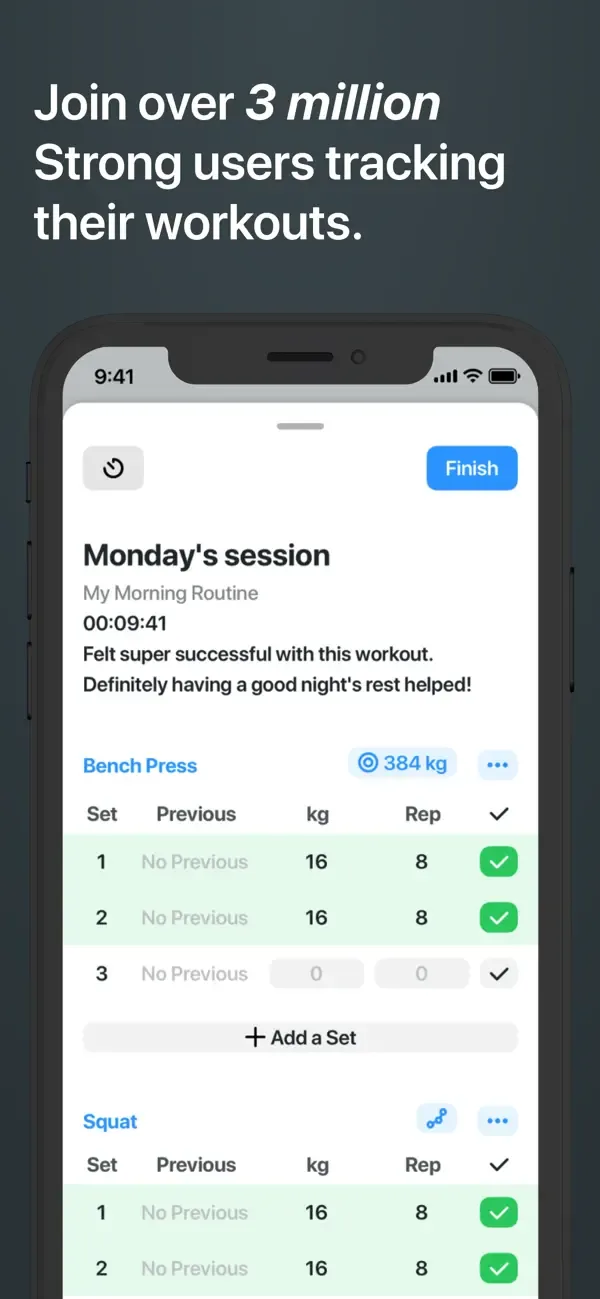
Strong is closer to a digital training notebook than an automated coach. You create routines and log sets and reps. You can also track volume and estimated one-rep max, use rest timers, record supersets and add custom exercises.
Free accounts can save unlimited workouts but only three custom routines. Strong PRO removes that cap.
Planning and Progression
Strong works best when the plan already exists. It doesn't try to restructure your program. Its strength is making repeat sessions quick to record.
Experienced lifters often like that. Beginners who want the app to tell them what to do next may not.
Best fit: People with an existing program who want a focused logger.
PRO price: $4.99 a month or $29.99 a year. A one-time lifetime purchase is also listed.
Watches: A full Apple Watch app.
3. Boostcamp: A Program Library and Logger in One Place
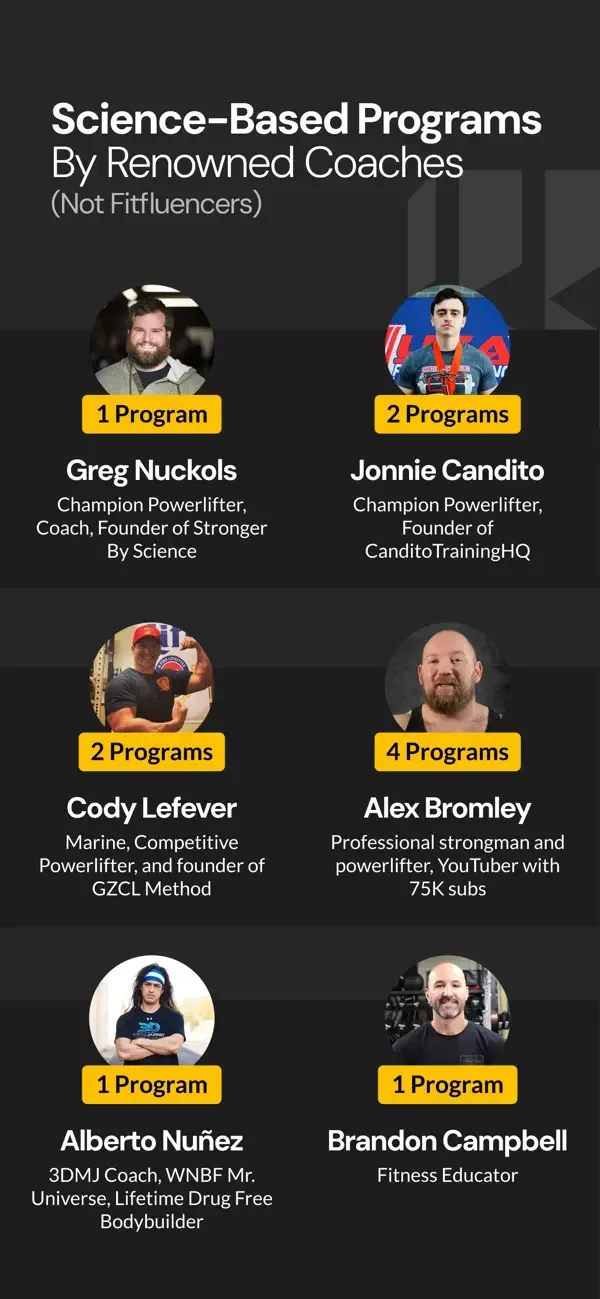
Boostcamp's big draw is its library. It pairs a workout log with a large collection of strength, muscle-building and bodyweight programs. The App Store listing advertises more than 11,000 programs, including over 100 designed by coaches.
The tracker and much of the library are free. Pro adds deeper stats and extra tools. Standard App Store options include $14.99 a month and $59.99 a year.
Planning and Progression
Boostcamp is handy when you want to follow a known program without rebuilding its progression yourself. It supports RPE and RIR, estimated one-rep max, rest timers, auto-progression in supported plans, exercise swaps and custom programs.
A library that big can also cause choice overload. If you want one simple template, you may not need thousands.
Best fit: Lifters who want to browse proven programs and log them in the same app.
4. JEFIT: Detailed Records and a Large Exercise Database
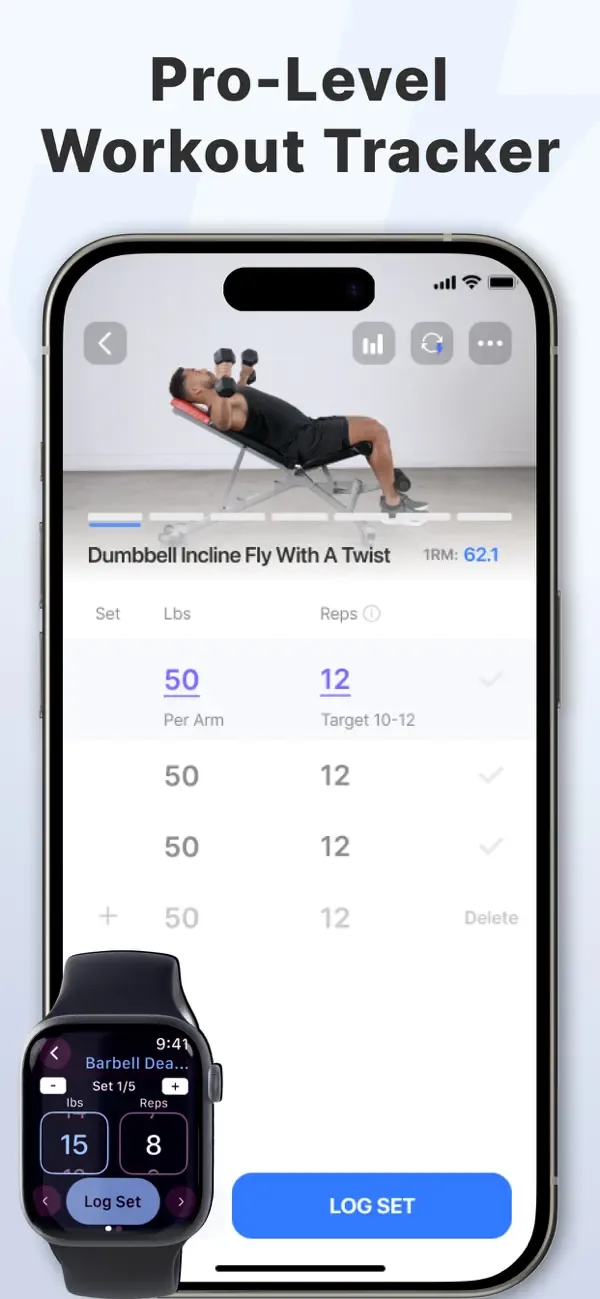
JEFIT has focused on detailed workout records for years. Today it combines custom routines, a large exercise library, analytics and an adaptive plan. The App Store listing describes more than 1,400 exercises with videos or animations. You also get set tags, supersets, rest timers, notes and progress photos.
The free version covers logging and custom planning. JEFIT Elite adds adaptive planning and premium analytics.
Planning and Progression
JEFIT gives you options. You can build a routine by hand, download an existing plan or let the adaptive system generate one from your goals, experience and equipment.
The trade-off is density. Data fans will enjoy the charts. Someone who only wants a quick set-and-rep log may find simpler apps easier.
Best fit: Data-minded lifters who want a big library, custom routines and analytics.
Elite price: $12.99 a month or $69.99 a year.
5. Fitbod: Let the App Build the Session

Fitbod works more like an adaptive coach than a blank log. It generates workouts from your goals, training history, equipment and exercise preferences. Then it adjusts future sessions based on what you log and edit.
You can still save and edit your own workouts. But the product is designed for people who want the app to choose exercises for them.
Planning and Progression
Fitbod handles progression without asking you to set every rule. That's attractive if you don't want to do the programming, especially when your gym or equipment changes often.
It costs more than several logging-first apps. And if a coach already writes your program, you'd be paying for automation you don't need.
Best fit: People who want generated strength workouts, not a blank routine builder.
Standard price: $15.99 a month or $95.99 a year.
Integrations: Fitbod documents support for Apple Watch, Fitbit, Apple Health, Garmin and Strava.
6. Alpha Progression: Progression Tips for Muscle Building
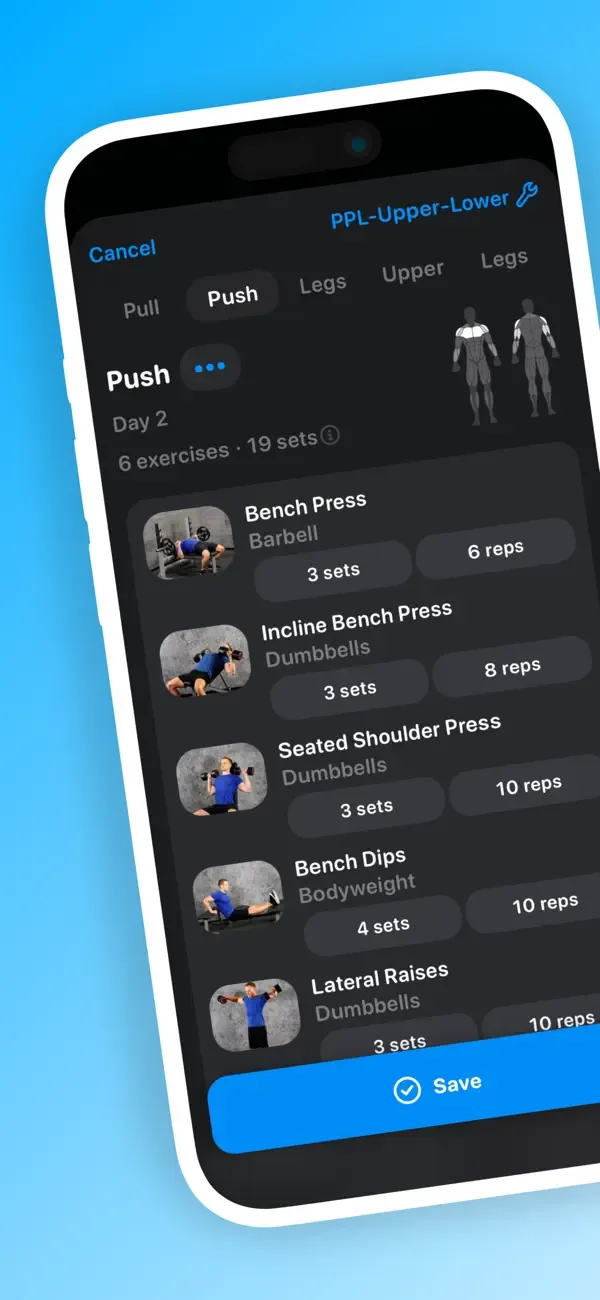
Alpha Progression draws a clear line between free and paid. The free version gives you unlimited logging, custom plans, a large exercise library, body measurements and data export, with no ads. Pro adds a plan generator, workout generator, progression recommendations, more charts and periodization features.
It's aimed at strength and muscle-building workouts rather than follow-along fitness classes.
Planning and Progression
Pro suggests weight and reps for each set. It bases those on your past training and how the current session is going. That makes it more guided than a manual log, while still letting you edit the plan.
If owning your data matters to you, the free export option is a plus.
Best fit: Muscle-building lifters who want set-by-set suggestions in a familiar sets-and-reps layout.
Pro price: $12.99 a month or $79.99 a year.
7. Caliber: A Generous Free Planner With Optional Coaching
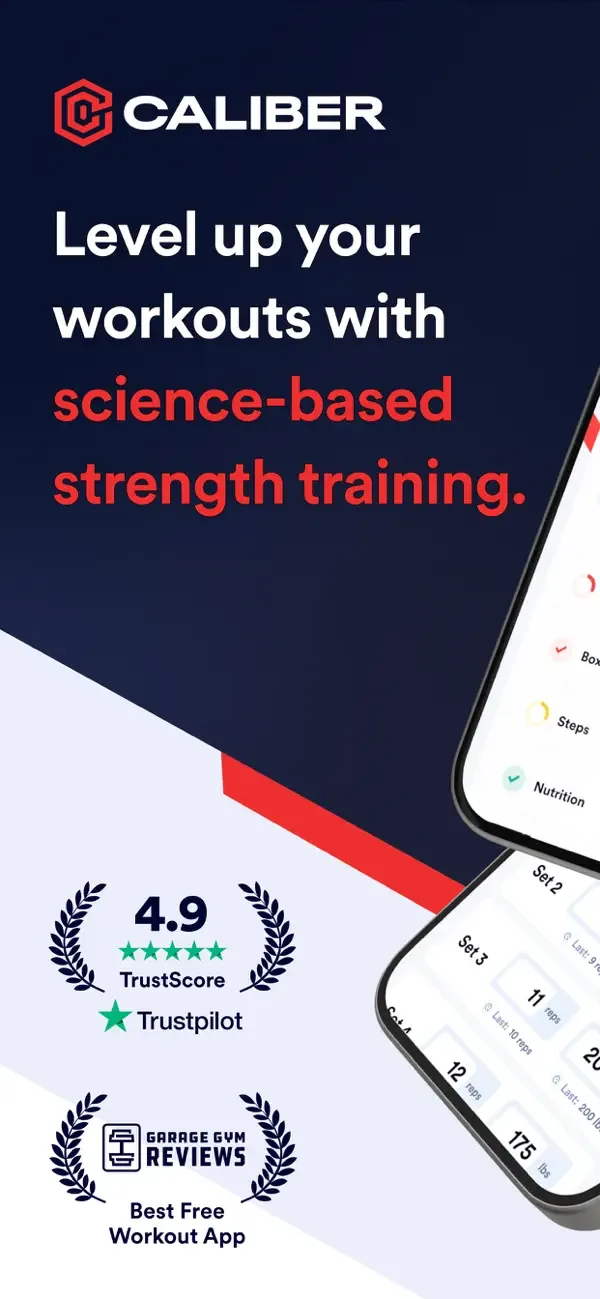
Caliber's free tier is unusually broad. You can create and track unlimited workouts, use more than 800 exercises and build personalized routines without paying. Apple Health integration and private workout groups are included.
Caliber Plus adds over 100 coach-designed plans and more progress tools. Premium Coaching is a separate one-to-one service with a human coach. In the App Store, Plus options currently include $12 a month or $72 a year, with promotional prices sometimes lower.
Planning and Progression
The free version suits people who want to build their own training without hitting an early routine cap. Plus moves toward a structured plan library. Premium Coaching changes the model again by adding a real coach.
Best fit: People who want a capable free routine builder, with plans or coaching available later.
8. StrongLifts: The Program Decided for You

StrongLifts is the least general-purpose app here, which is exactly why some beginners like it. It's built around the 5x5 barbell system and its variations. The exercises, sets and progression are mostly decided for you.
The app raises weights after successful sessions and handles missed lifts and deloads. That means far less setup than building a routine from scratch.
Planning and Progression
StrongLifts suits people who want a fixed progression model, not an open-ended library. It's a weaker fit if your training doesn't look like its barbell programs.
The US app needs a subscription after the trial. StrongLifts lists $11.99 a month and $59.99 a year as its standard prices, with a seven-day trial on the yearly plan.
Best fit: New or returning barbell lifters who want a simple three-day progression.
9. Liftin': Progression Rules and Data Portability for Apple Users
Liftin' is built for Apple's ecosystem, with iPhone, iPad, Mac and Apple Watch apps. You can create your own programs or start from built-in ones such as 5x5, 5/3/1, nSuns, GZCLP, push/pull/legs and upper/lower.
You can attach progression rules to each exercise. Options include linear progression, double progression, 5/3/1-style training max cycles and deloads. The app also exports to CSV and syncs through iCloud.
Planning and Progression
For Apple users, the watch app and data ownership stand out. You can track a workout from your wrist, export your history and sync without making a separate Liftin' account.
The obvious limit is platform. Android users will need another app.
Best fit: Apple users who want custom programs, automatic progression and Apple Watch training.
Free limit: Five workouts a month.
Unlimited price: $2.99 a month, $24.99 a year or $99.99 one-time.
Which Workout Planner Fits Your Training Style?
Start with how much planning you want the app to do. Then compare the apps that match.
| Your situation | Apps to compare first |
|---|---|
| You have a program and mainly need logging | Strong, Hevy, Liftin' |
| You want a library of proven programs | Boostcamp, JEFIT |
| You want the app to generate workouts | Fitbod, Hevy Trainer, Alpha Progression Pro |
| You want a strong free routine builder | Caliber, Hevy, Alpha Progression |
| You're starting barbell training | StrongLifts |
| You train mostly from Apple Watch | Liftin', Hevy, Strong |
| You want to keep and export your data | Alpha Progression, Liftin' |
The planner-versus-logger split matters more than any overall ranking. If a coach writes your program, automatic generation adds little. If you have no idea what to train on Tuesday, a beautiful logger with an empty routine screen won't help.
If lifting is your main focus, our best weightlifting apps comparison zooms in on logging, effort tracking and one-rep max features. For broader context on how Americans train, see our fitness statistics by activity and age.
What a Good Workout Planner Should Let You Keep
A planner gets more valuable as it collects months of training. Before you commit, check that you can keep or export the records that will matter later:
- completed workouts and dates
- exercises, sets, reps and weights
- RPE or RIR, if you use them
- body measurements and personal records
- custom exercise names and routine structure
- notes and progress photos, if you store them
Export doesn't feel exciting on day one. After two years of training history, it matters a lot. You can also check your progress against our 1 Rep Max Calculator, which estimates working weights from any set.
Leaving Fitbod specifically? Our Fitbod alternatives guide compares cheaper apps by what their free tiers include.
FAQs
What Is the Best Free Workout Planner App?
There's no single free winner. Caliber allows unlimited custom workouts, Hevy offers a strong logger with routine and history limits, Boostcamp has a large free program library, and Alpha Progression gives unlimited free logging and custom plans.
What Is the Difference Between a Workout Planner and a Workout Tracker?
A tracker records what you did, while a planner helps structure what you'll do next. Most modern apps do both. Fitbod and Alpha Progression add automatic suggestions, while Strong is closer to a manual log of routines you define yourself.
Which Workout Planner Apps Generate Workouts Automatically?
Fitbod is built around adaptive workout generation. Alpha Progression Pro generates plans and suggests weights and reps, and Hevy Pro includes Hevy Trainer. JEFIT offers an adaptive plan, and Boostcamp includes an AI coach alongside its program library.
Which Workout Planner Is Best If I Already Have a Program?
Strong, Hevy and Liftin' are good places to start, because saved custom routines are central to how they work. Alpha Progression and Caliber also support custom programming. Your device, free limits and interest in automatic progression should decide between them.
Do Workout Planner Apps Work With Apple Watch?
Many do. Hevy, Strong, Fitbod, JEFIT, StrongLifts and Liftin' all document Apple Watch support, though depth varies. Liftin' is the most Apple-focused, while Hevy also supports Wear OS for Android users.
Can a Workout Planner App Replace a Personal Trainer?
Not fully. An app can organize exercises, record progress and automate parts of progression, but it can't watch your technique or adjust around pain and injury in real time. Seek qualified guidance if you're unsure how to perform an exercise safely.
Sources
- Hevy
- Hevy pricing comparison
- Hevy on the App Store
- Strong on the App Store
- Boostcamp
- Boostcamp on the App Store
- JEFIT
- JEFIT on the App Store
- Fitbod pricing
- Fitbod on the App Store
- Alpha Progression
- Alpha Progression on the App Store
- Caliber workout app
- Caliber on the App Store
- StrongLifts app
- StrongLifts pricing support
- StrongLifts on the App Store
- Liftin' press kit and pricing
- Liftin' on the App Store
Features and prices change. We did not test these apps hands-on, and we haven't treated company-reported download counts, ratings or marketing claims as independent evidence.